
AI baby generator
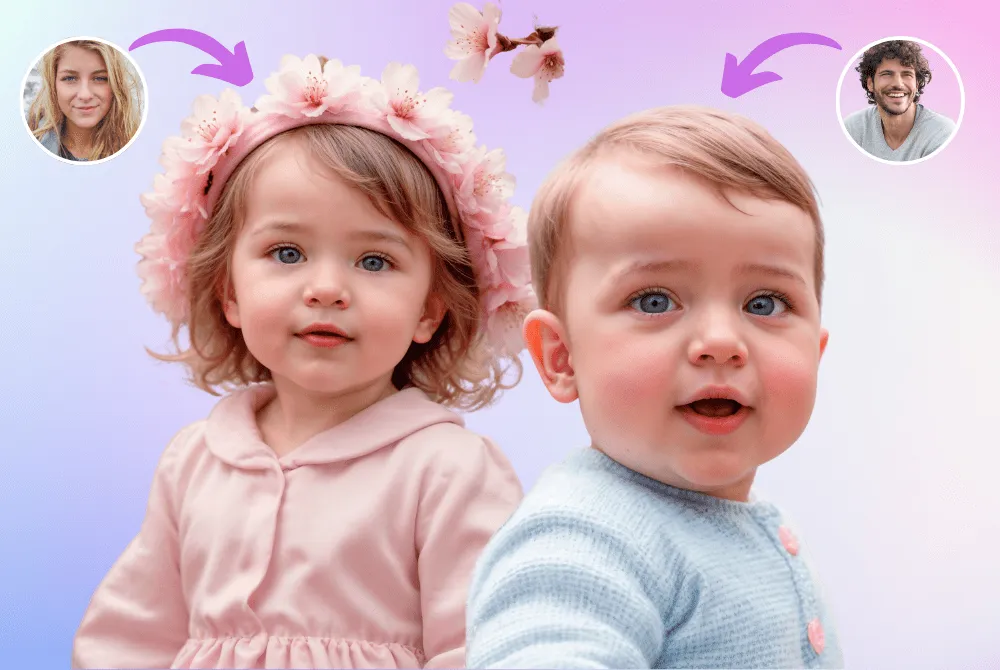
See what your future baby could look like
Upload one or two photos. BabyWish reads both faces and gives you a lifelike baby portrait in seconds.
iPhone and iPad · iOS 16.4 or later
Three taps to a baby face
Add one or two photos
A selfie, or one of you and your partner. Clear, front-facing faces work best.
Choose the details
Set the age, the gender and the skin tone you want to see — or leave them and let the app decide.
Meet your baby
The portrait arrives in seconds. Save it, share it, or try it again with another theme.
Dress your baby up
Every card is a different look. Pick one and the app writes the prompt for you.

World Cheeseburger Day

Artist
Turn Into a Baby

Beach

Make Someone Old

Chef Baby

Astronaut Baby

Forest Explorer

Baby Mechanic

Little Doctor

Royal
My Future Baby
What's inside
Realistic faces
Facial analysis blends both parents into one portrait instead of pasting features together.
Themes and occupations
Doctor, astronaut, chef, artist, explorer, royal — and more keep arriving.
Age transformation
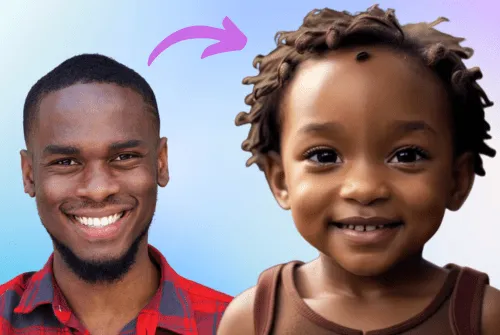
Turn an adult face into a baby, or see how someone might look years from now.
No account
No name, no email, no password. Open the app and start.
No ads
Nothing interrupts a result.
36 languages
The app speaks yours.
Questions
How does BabyWish work?
You choose one or two photos. The app analyses the faces and an AI image model generates a baby portrait from that analysis together with the age, gender and skin tone you picked. The result is a new image, not a photograph of a real child.
Is the result a real prediction?
No. BabyWish is entertainment. It is not a medical or genetic test and it cannot tell you how a baby will actually look.
Do I need an account?
No. There is no sign-up, no email and no password. The app works from the moment you open it.
What happens to my photos?
A photo you choose is processed to produce your result and is not kept for anything else. We do not use it to train models and we do not sell it. The privacy policy has the full detail.
What does it cost?
You can generate at no cost to start. Further generations need a subscription, which you manage in your Apple ID settings.
Which devices does it run on?
iPhone and iPad running iOS 16.4 or later. There is no Android version yet.